
Image to MIDI
Canvas
Pictures in.
Musical ideas out.
Turn pictures and drawings into musical ideas. Shape the phrase, then bring the MIDI into your DAW.
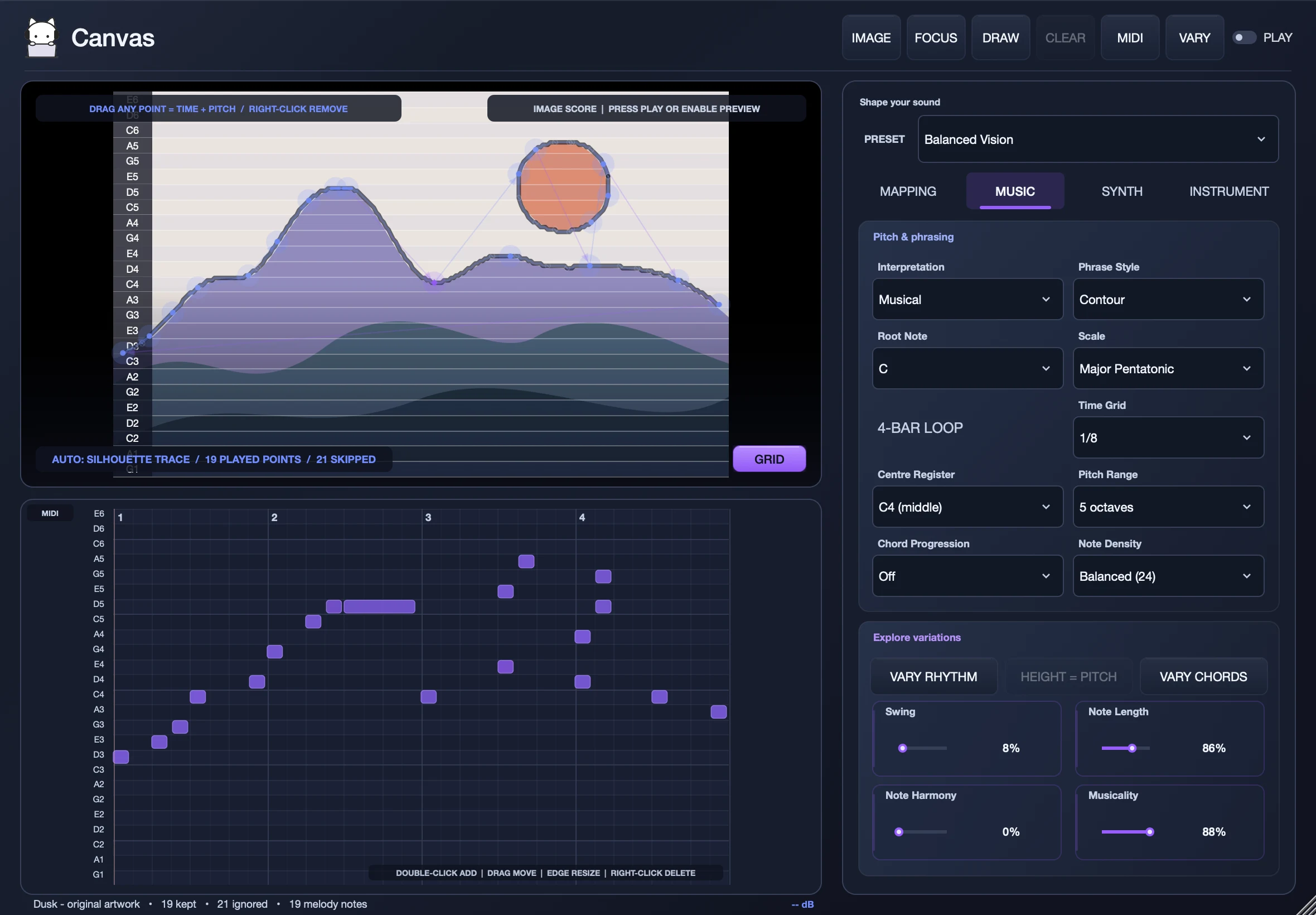

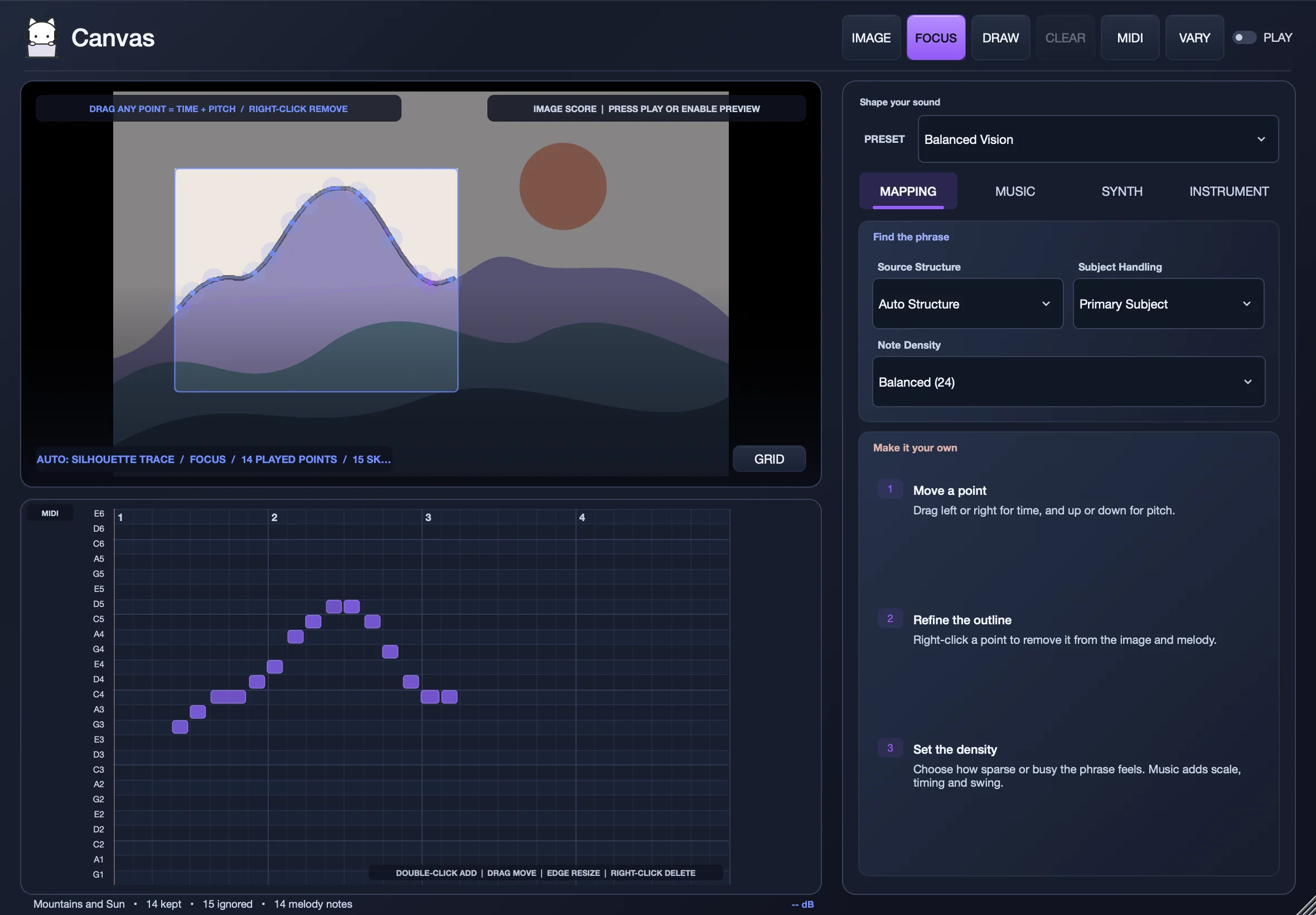
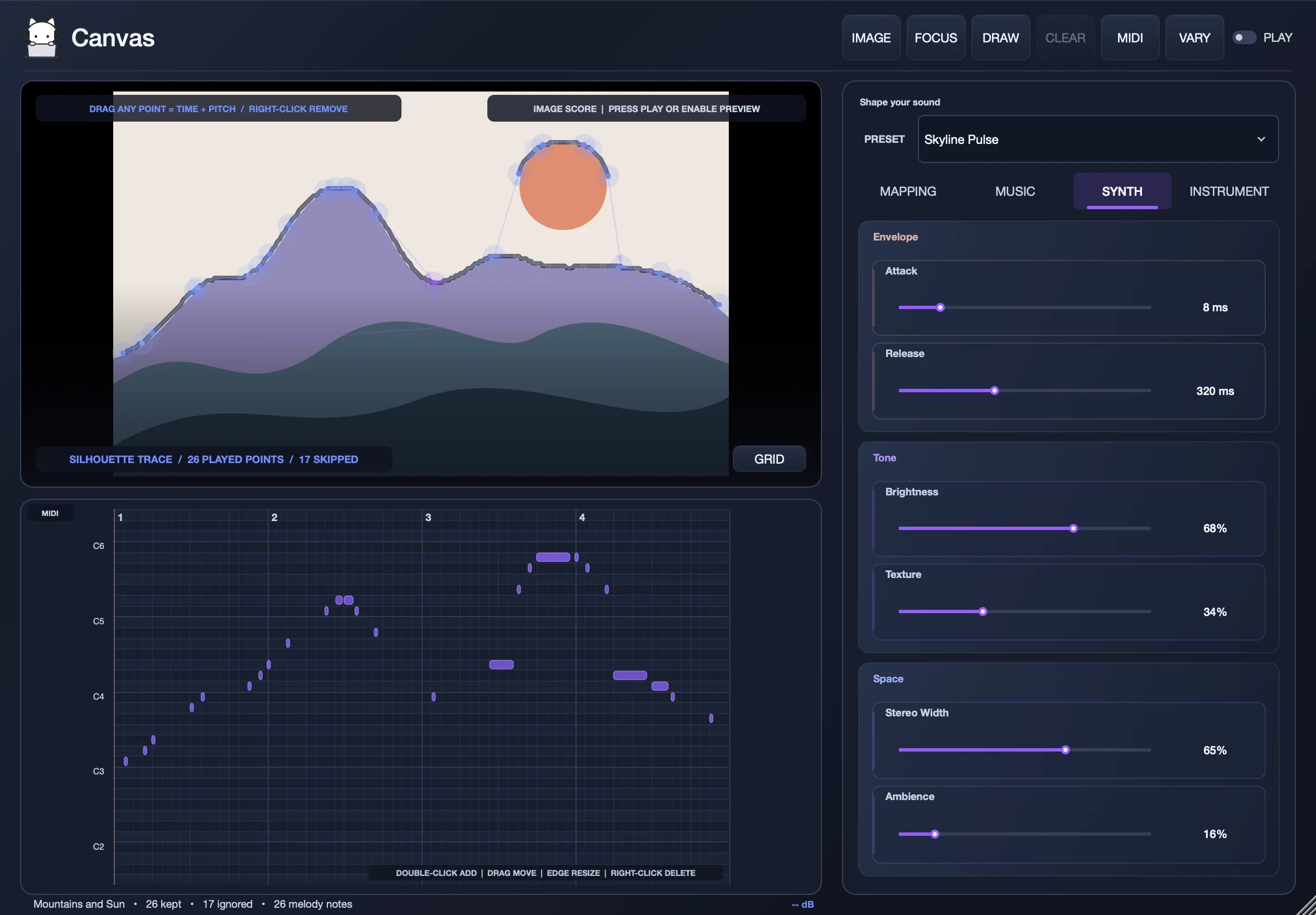
A picture becomes a phrase.
Points from your image, snapped to your musical grid.
↔ Time↕ Pitch
Canvas’s internal synth · two four-bar loops
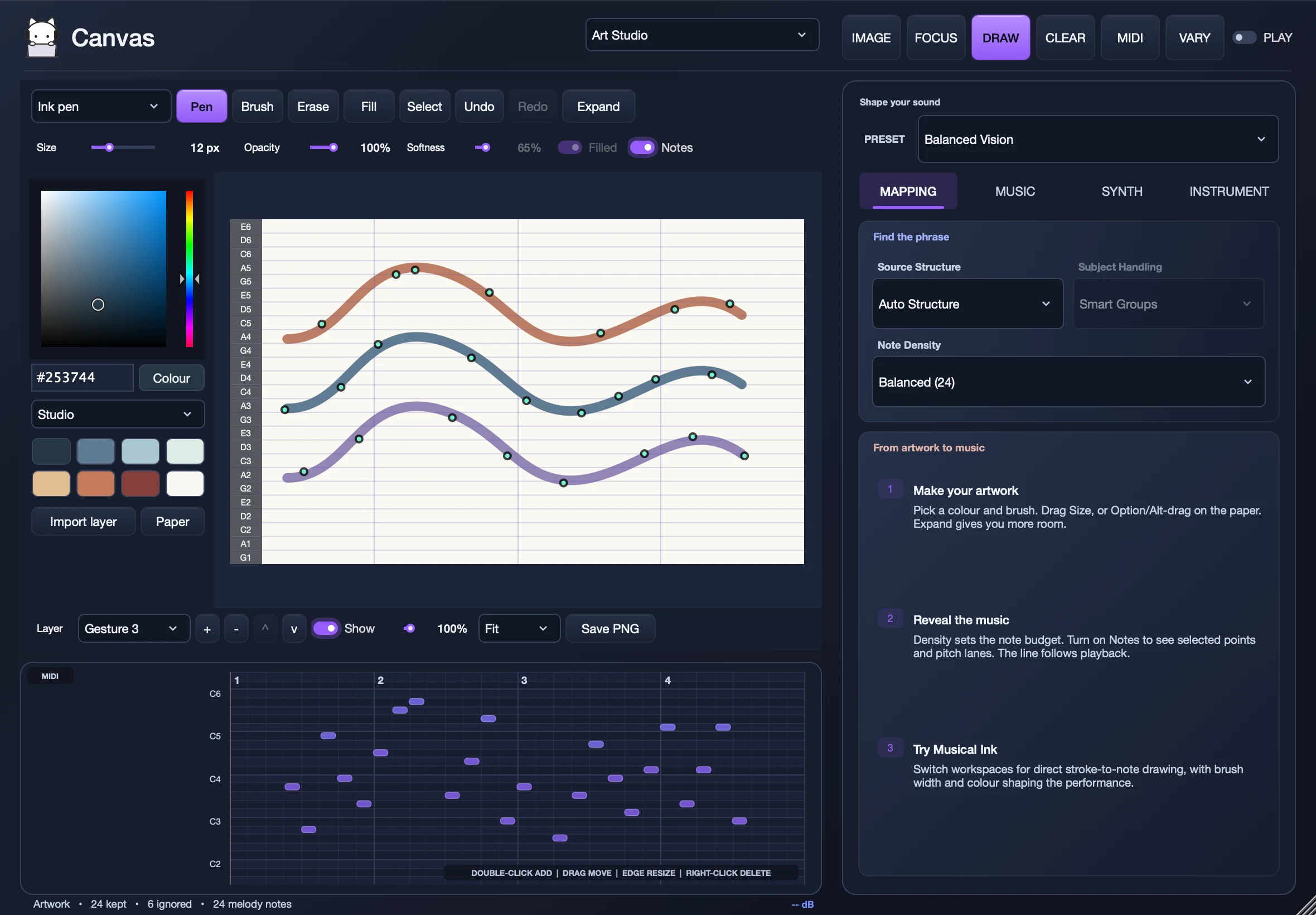
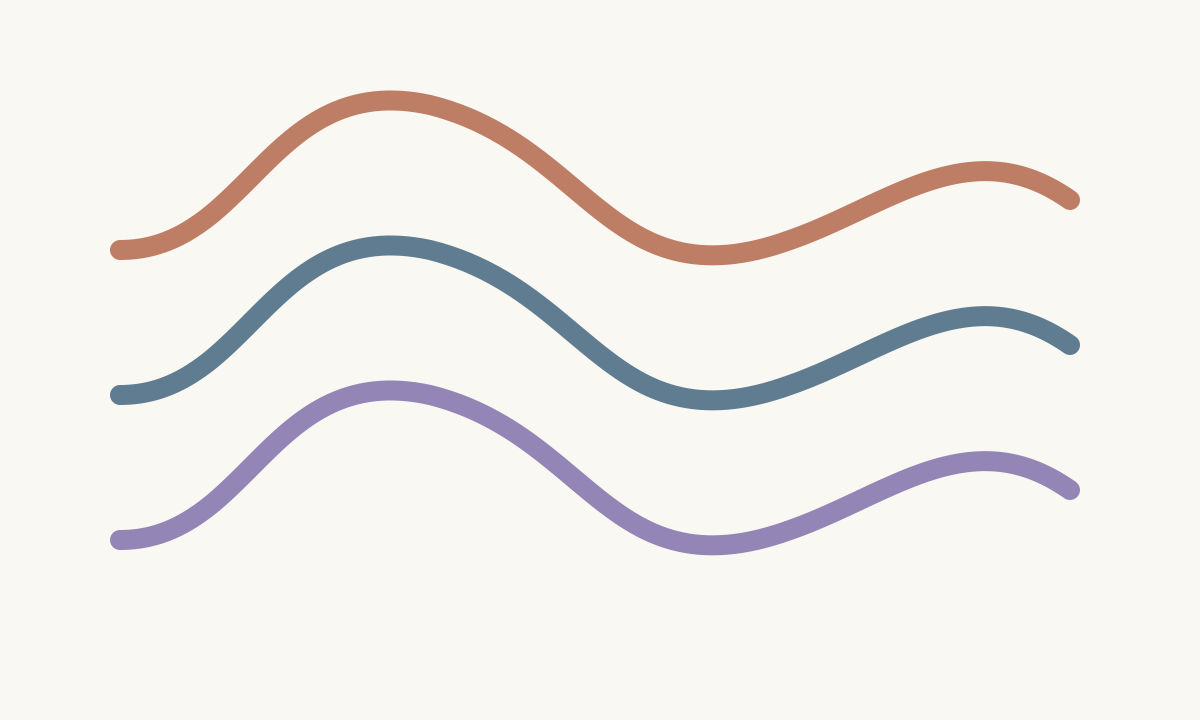
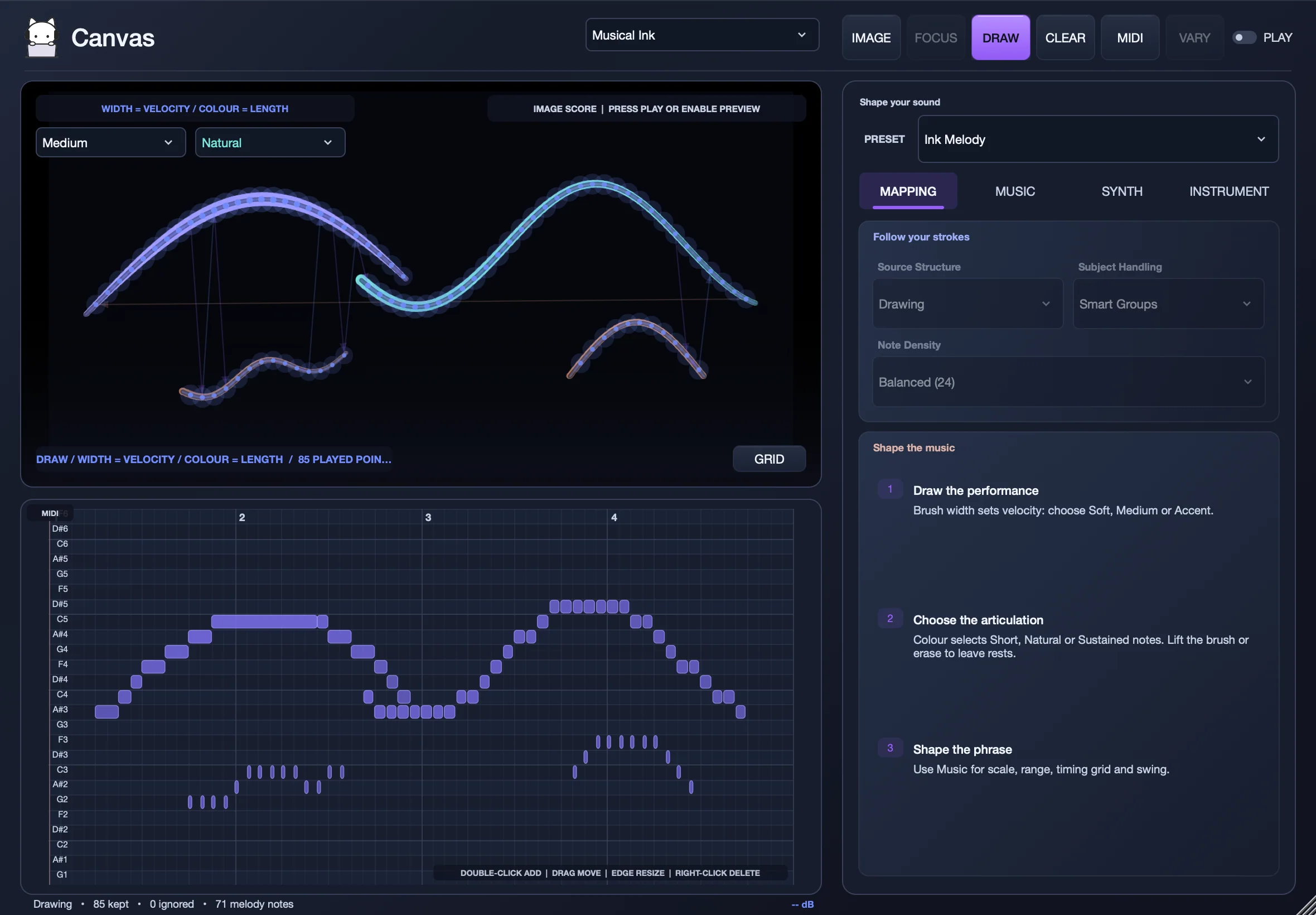
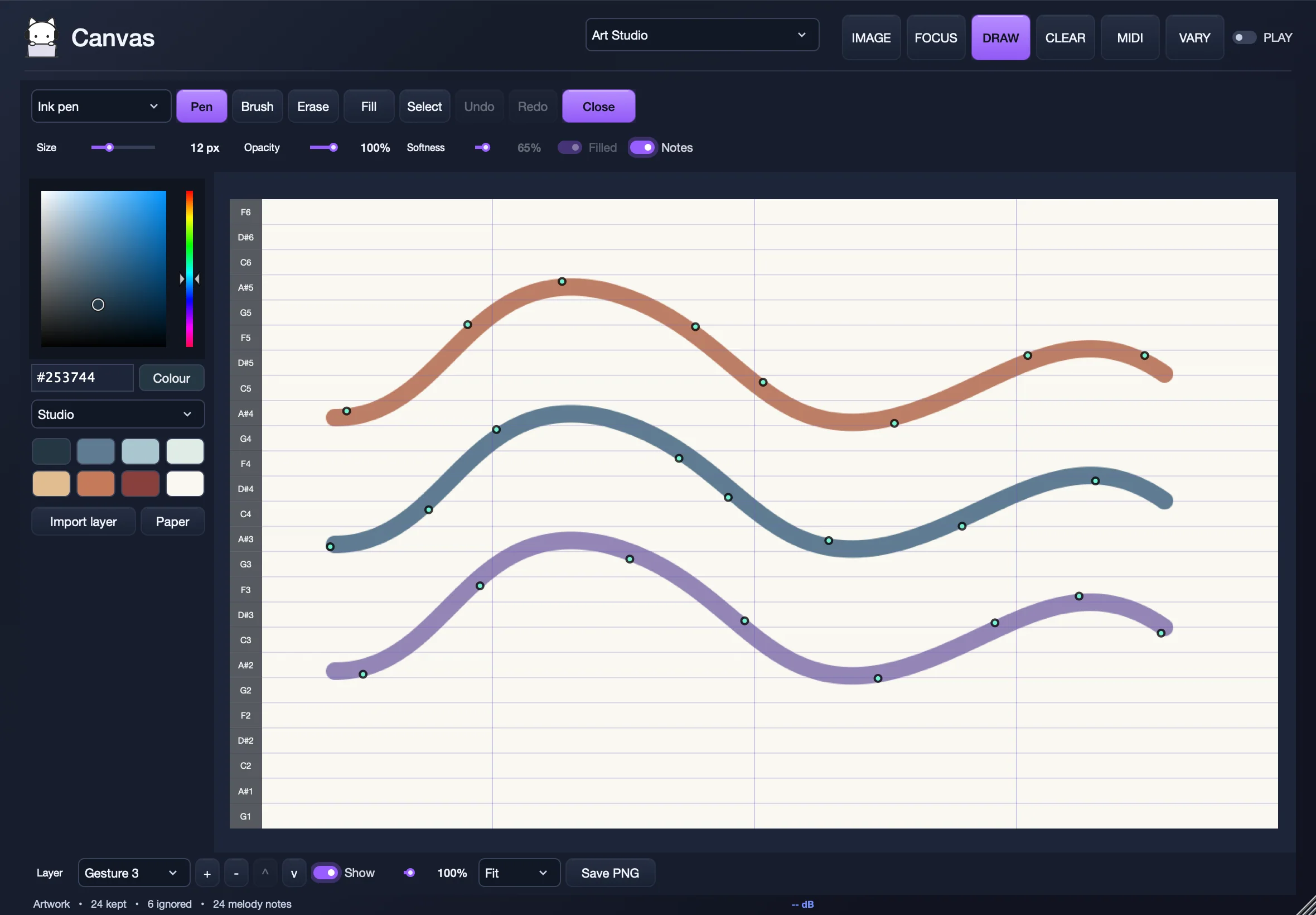
Draw your own starting point.
Brushes, colors, shapes, and layers. Make art. Explore its music.
◒ Art Studio〰 Musical Ink
Canvas’s internal synth · two four-bar loops
Original artwork. Recorded directly from Canvas.
Features
ViewsImage, Art Studio, Musical Ink
- Image
- Turn a picture into a phrase
- Art Studio
- Draw and paint, then explore its music, in place or expanded to full screen
- Musical Ink
- Draw strokes that become notes directly
Main controlsImage, Focus, Draw, MIDI, Vary, Play, 8 presets and the score
- Toolbar
- Image (or drag and drop), Focus, Draw, Clear, MIDI export, Vary, Play
- Presets
- 8 presets: Balanced Vision, Star Motif, Skyline Pulse, Ink Melody, Harmonic Field, Raw Geometry, Colour Motif, Low Contour
- Preset menu
- Browse by sound (Clean, Spacious, Rhythmic, Pitched, Textured), optionally filtered by instrument (Keys, Bass)
- Image view
- Drag any point to change time and pitch, right-click to remove, pitch grid
- Score
- Editable piano roll: add, move, resize and delete notes, chord labels
MappingHow the phrase is found
- Source structure
- Auto, Constellation, Outline / Skyline, Colour regions, Drawing
- Subject handling
- Primary subject, Smart groups, All structures
- Note density
- Sparse (8 notes) to Maximum (64 notes)
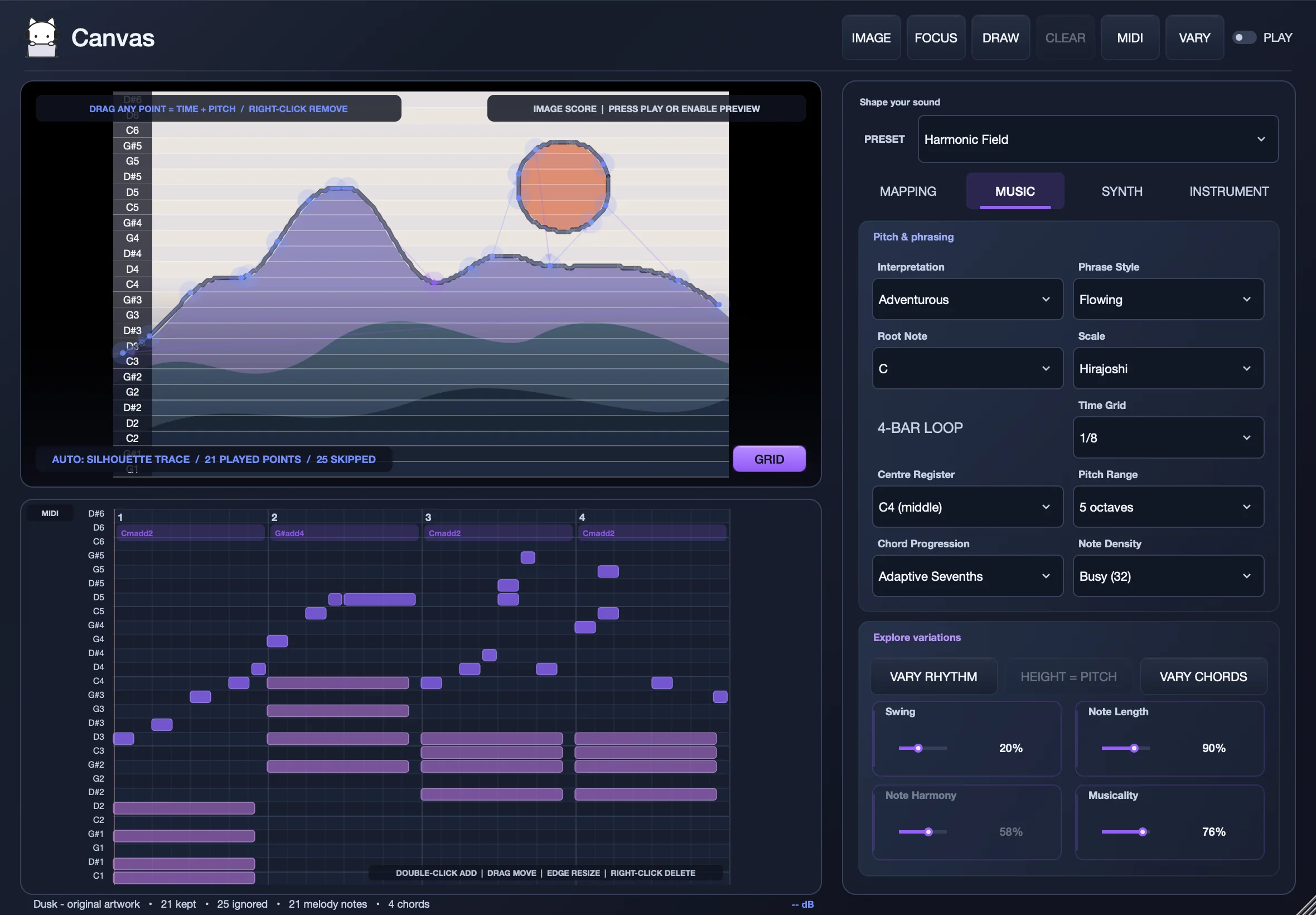
MusicScale, phrasing, chords and variations
- Pitch and phrasing
- Interpretation (Faithful, Musical, Adventurous), Phrase style (Contour, Flowing, Pulse, Motif), Root note, Centre register, Pitch range
- Scales
- Major, Natural minor, Dorian, Major pentatonic, Minor pentatonic, Hirajoshi, Whole tone, Phrygian colour, Chromatic
- Timing
- 4-bar loop, Time grid from 1/4 to 1/32
- Chords
- Off, Adaptive triads, Adaptive sevenths, Open fifths
- Variations
- Vary rhythm, Vary chords, Swing, Note length, Note harmony, Musicality
SynthBuilt-in sound
- Envelope
- Attack, Release
- Tone
- Brightness, Texture
- Space
- Stereo width, Ambience
InstrumentPlay your own virtual instruments
- Playback
- Internal synth, your plug-in instrument, or both layered
- Your instrument
- Find and load your virtual instruments, open their editor
Art StudioBrushes, shapes, colours and layers
- Tools
- Pencil, Ink pen, Marker, Soft brush, Eraser, Fill, Line, Rectangle, Ellipse, Select / move, Eyedropper, Hand / pan, with quick buttons for Pen, Brush, Erase, Fill and Select
- Brush
- Size, Opacity, Softness, Filled shapes
- Colour
- Colour picker, hex, palettes (Studio, Coastal, Woodland, Sunset, Graphite), swatches, paper colour
- Layers
- Up to 8 layers: rename, reorder, show or hide, opacity, Import layer
- View
- Notes overlay, zoom from Fit to 400%, Undo and redo, Save PNG
Musical InkStroke width sets velocity, colour sets note length
- Brush weight
- Soft, Medium, Accent
- Articulation
- Short, Natural, Sustained
WorkflowMIDI export, saved with your project
- Export
- MIDI export to your DAW
- Session
- Settings and artwork saved with your project
- Window
- Resizable from 1050 × 680 to 1500 × 1000, hover explanations