
Multiband saturator
Drive
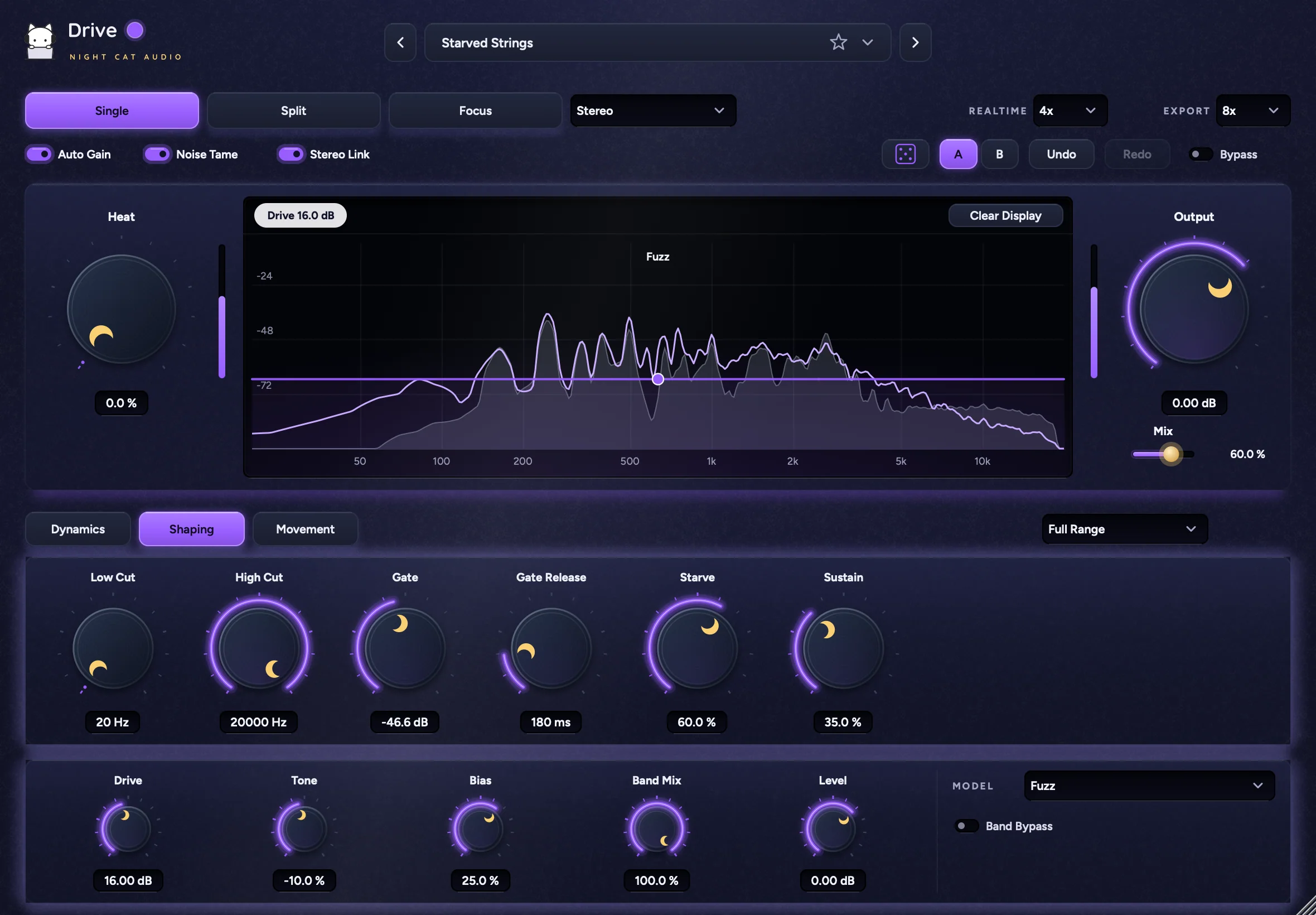
Ten saturation models.
Heat where you aim it.
Tape, tube, transformer, clipping, bitcrush and fuzz, on the whole signal or split across up to eight bands, with drive that pushes or tames as you play and moves in time with the song. Plus Focus, which saturates only the frequency regions you draw.
Ten models
Tape, Triode, Pentode, Transformer, Transistor, Soft Clip, Hard Clip, Bitcrush, Lo-Fi and Fuzz. Each one is useful from subtle color to heavy grit.
Single, Split and Focus
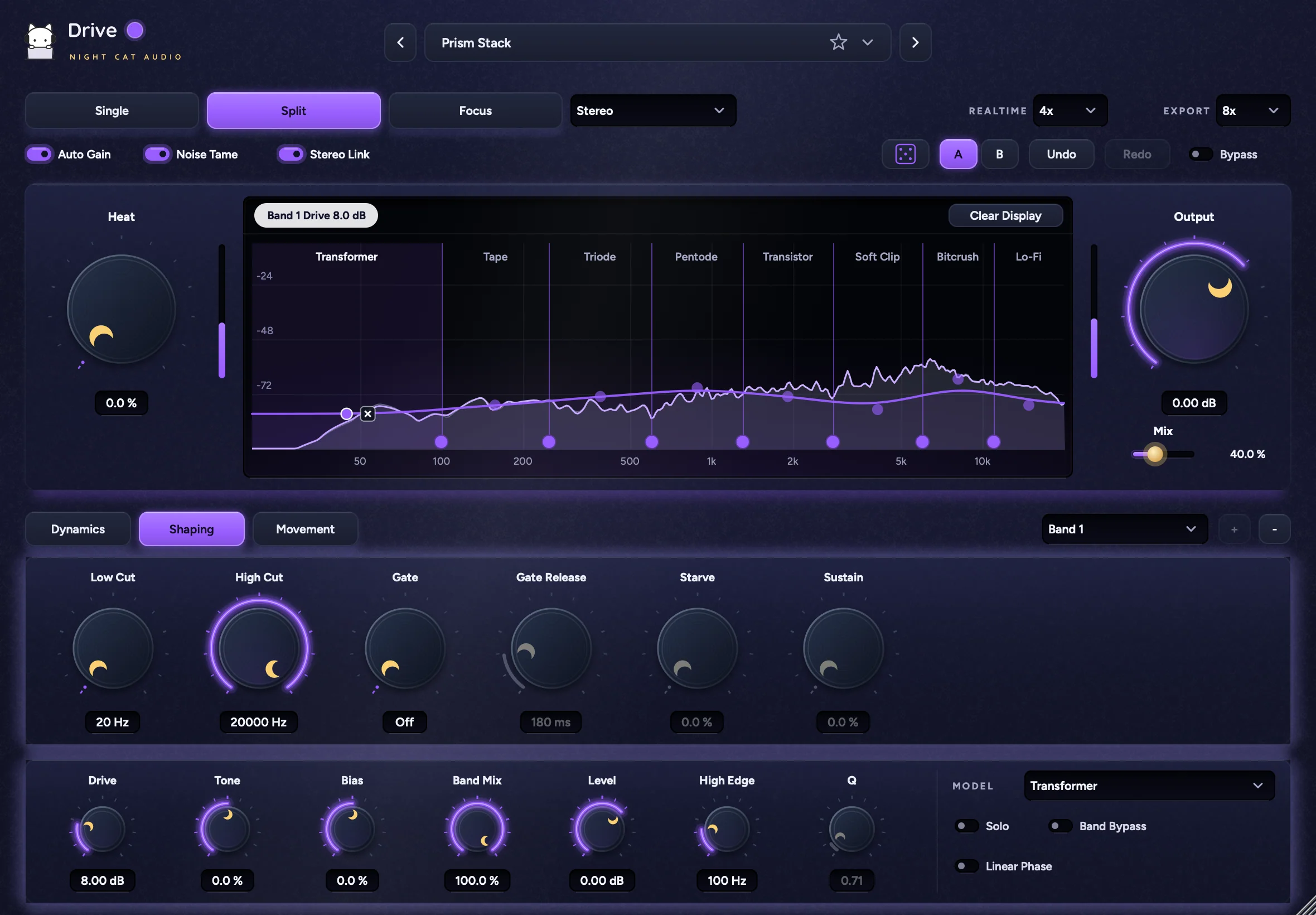
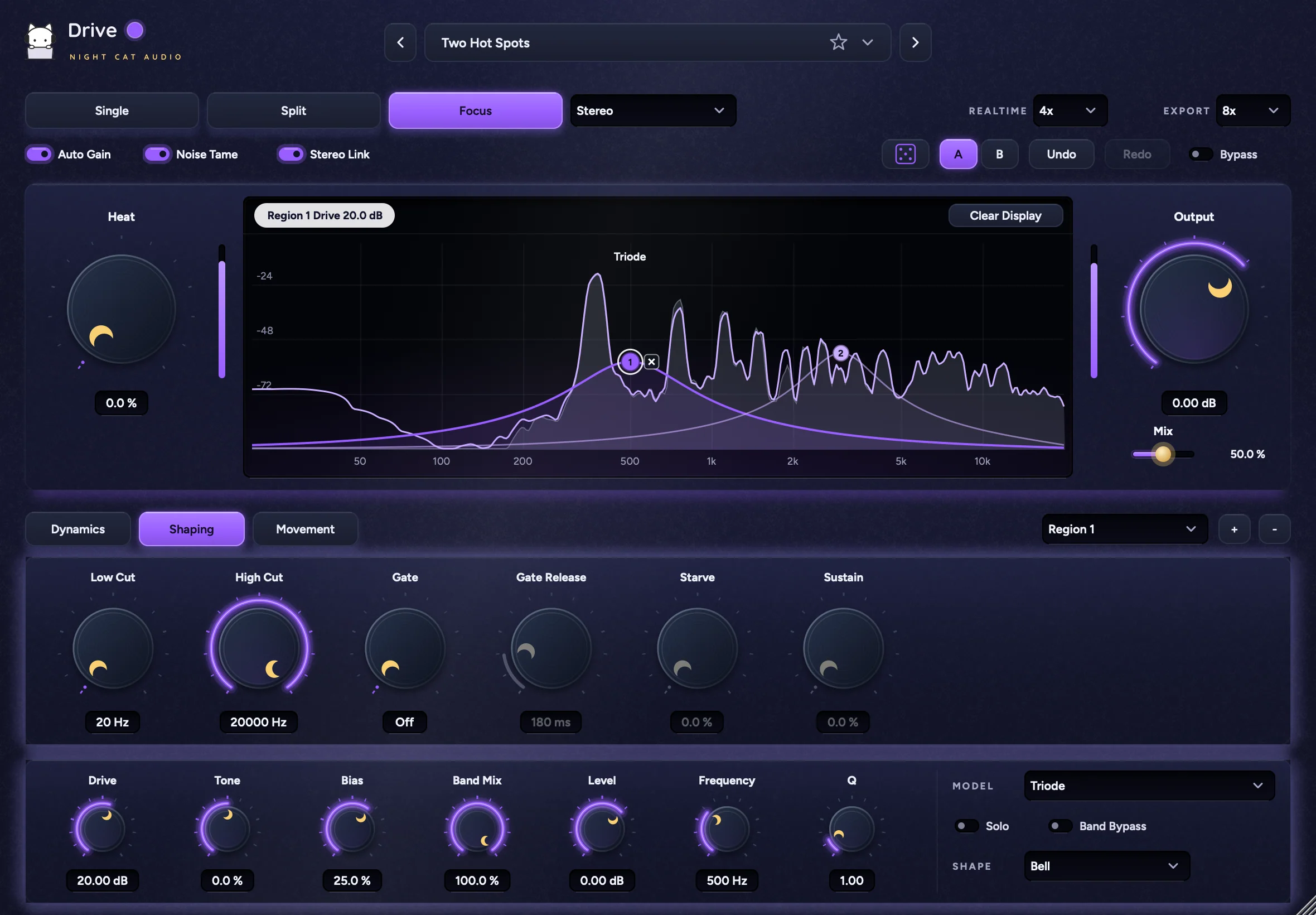
Saturate everything, split into up to eight bands with their own model, or saturate up to six Bell or shelf regions and leave the rest untouched. Drag bands, crossovers and drive right in the display.
Drive that responds
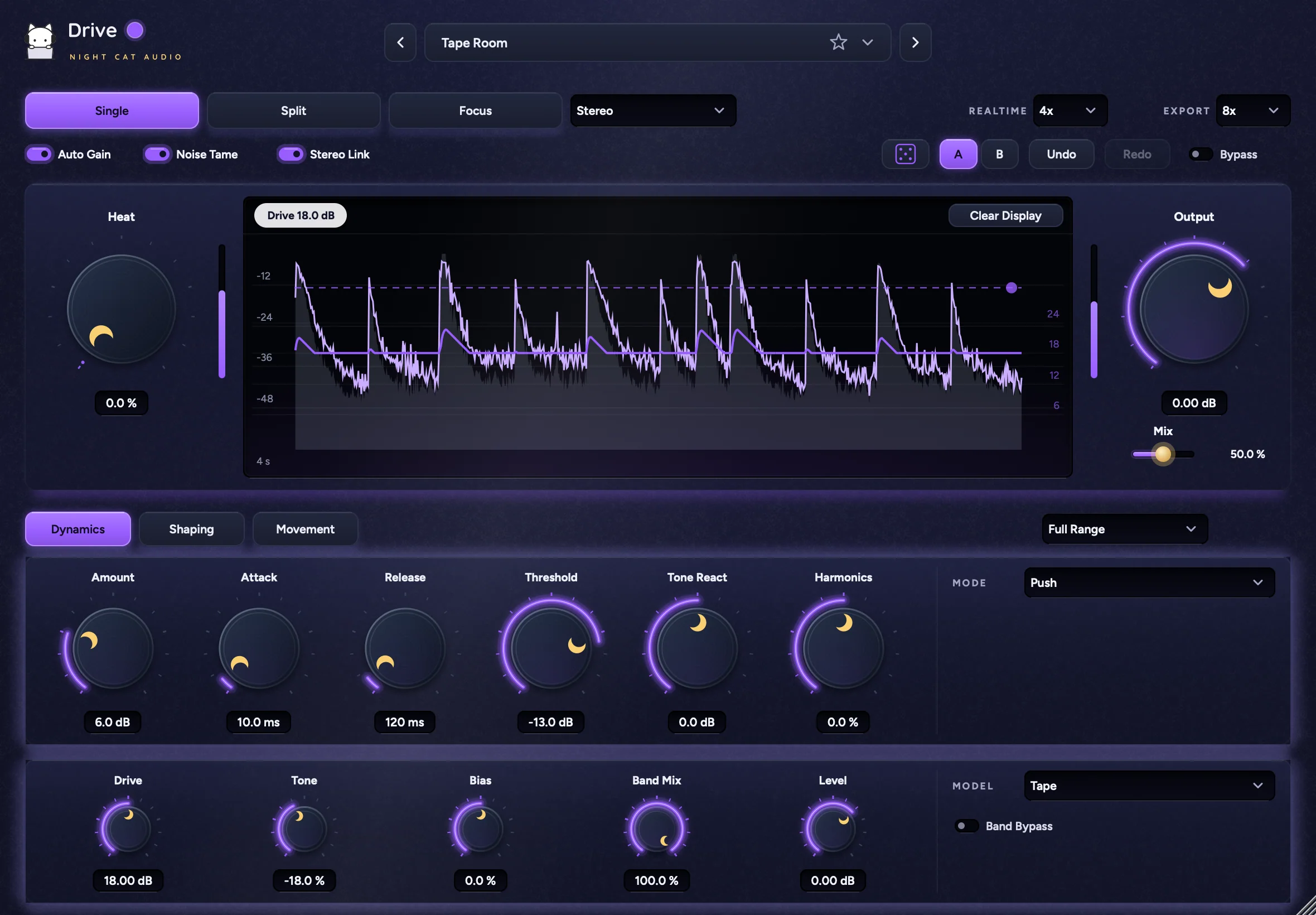
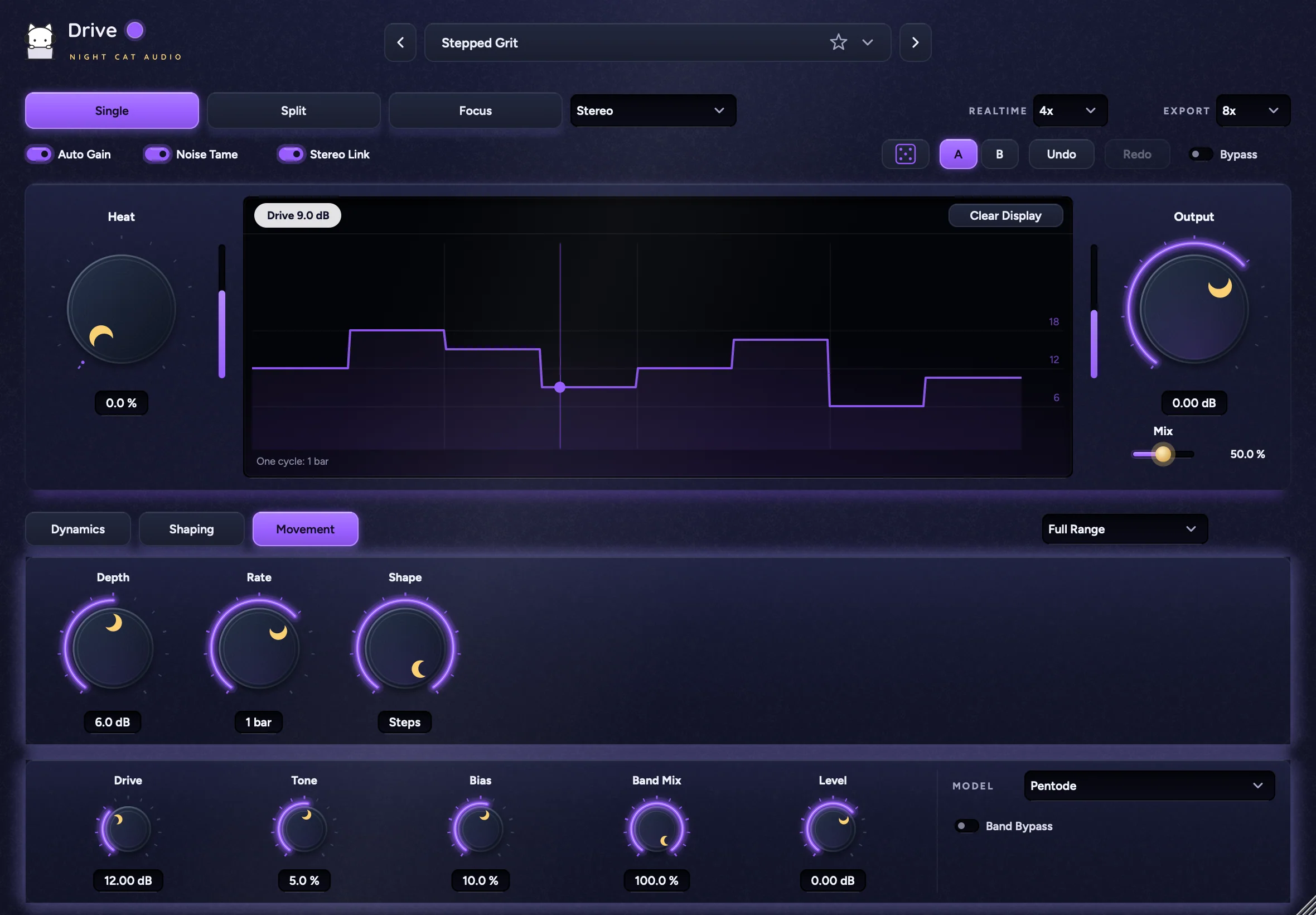
Push adds drive when you play harder, and Tame pulls it back. Movement makes the drive rise and fall in time with your song.
Built for the mix
Heat, Mix and Output up front, with Auto Gain, Noise Tame and Stereo Link. Separate realtime and export quality, plus Linear Phase for punchy drums in Split.
Features
ModesSingle, Split, Focus
- Single
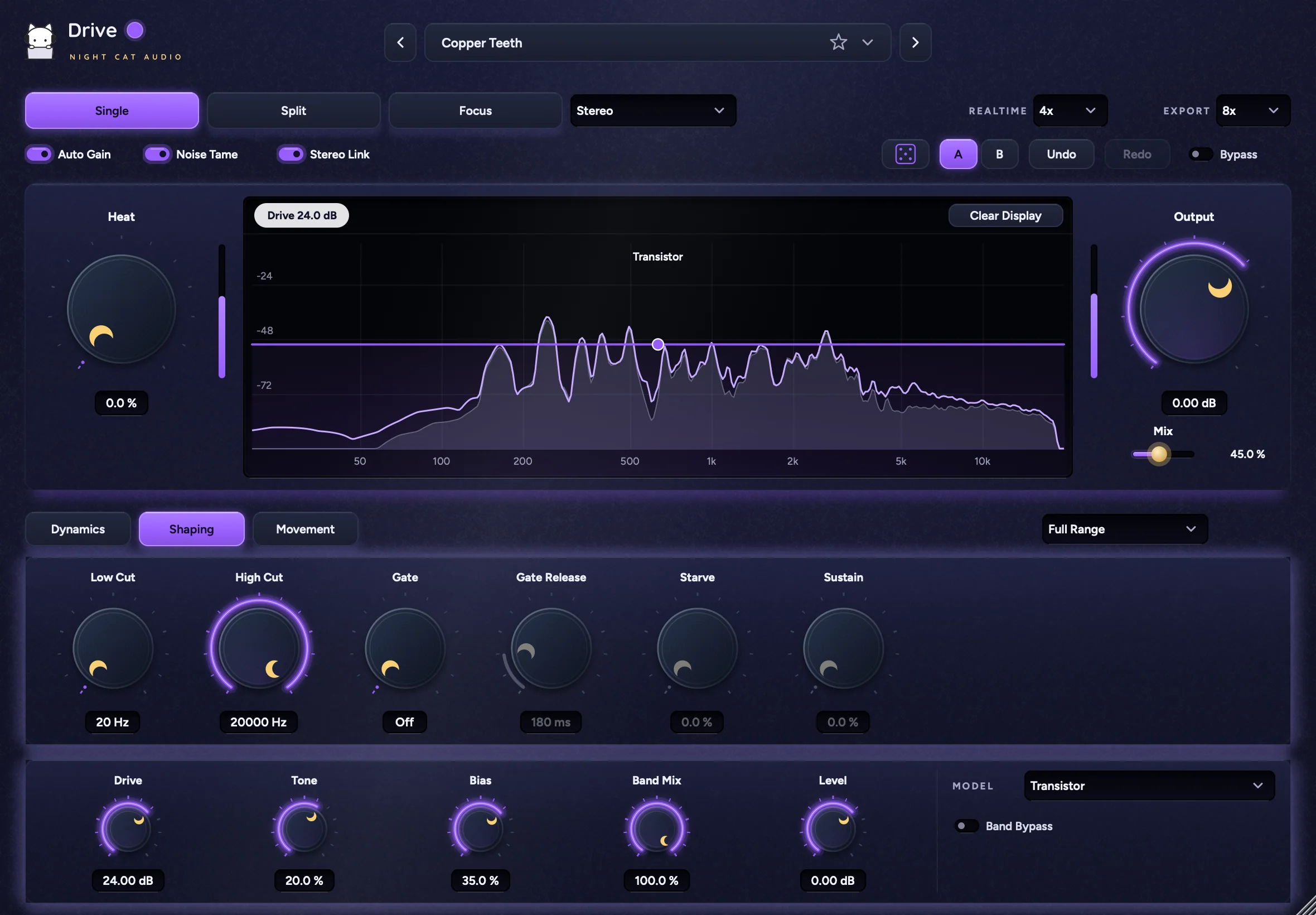
- One saturation stage across the full range
- Split
- 1 to 8 bands with draggable crossovers, Linear Phase
- Focus
- 1 to 6 regions: Bell, Low Shelf, High Shelf
- Routing
- Stereo, Mid Side, Mid Only, Side Only
Main controlsHeat, Mix, Output and the live display
- Main
- Heat, Mix, Output, with input and output meters beside Heat and Output
- Display
- Input and output spectrum, drive curve with a dot per band, model labels, numbered region handles, status strip with the live drive and Clear Display
- In the display
- Drag to set Drive, crossovers and region frequency; × or Delete removes the selected band or region; double-click adds a Focus region; right-click a region for Shape, Solo, Bypass and Delete
- Switches
- Auto Gain, Noise Tame, Stereo Link, Bypass
- Quality
- Realtime and Export oversampling: Off, 2x, 4x, 8x
Bands and modelsTen models, per band or region
- Models
- Tape, Triode, Pentode, Transformer, Transistor, Soft Clip, Hard Clip, Bitcrush, Lo-Fi, Fuzz
- Band knobs
- Drive, Tone, Bias, Band Mix, Level, High Edge / Low Edge (Split), Frequency and Q (Focus)
- Band panel
- Model, Solo, Band Bypass, Linear Phase (Split), Shape (Focus)
- Band selector
- Full Range, Band 1 to 8 or Region 1 to 6, with + and −
DynamicsPush and Tame
- Dynamics
- Mode (Off, Push, Tame), Amount, Attack, Release, Threshold, Tone React, Harmonics
- Live view
- Four-second trace of input and output peaks and the applied drive, with a draggable Threshold line
ShapingCuts, gate, and fuzz Starve and Sustain
- Filters
- Low Cut, High Cut on the added saturation
- Gate
- Gate, Gate Release
- Fuzz
- Starve, Sustain
MovementTempo-synced drive movement
- Movement
- Depth, Rate from 1/16 to 4 bars, Shape (Sine, Triangle, Steps), follows host tempo
- Live view
- One movement cycle with its live position
Workflow64 presets, browser, A/B, undo, accent color
- Presets
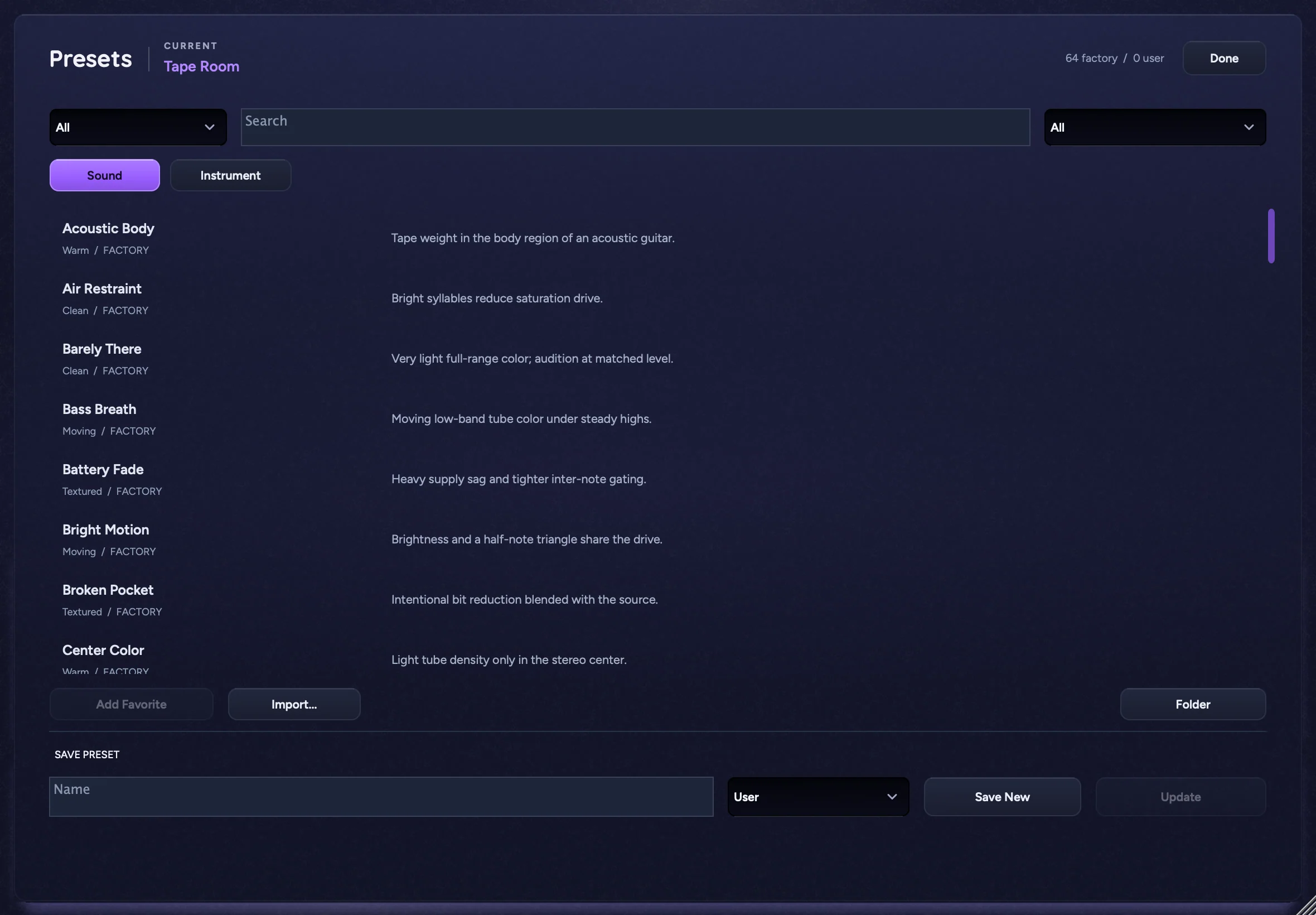
- 64 factory presets with descriptions in Clean, Warm, Spacious, Textured and Moving, < and > to step through, Favorites star, Save, Save As…, Lock Mix, Lock Output
- Browse All…
- Search, All / Factory / User / Favorites, browse by Sound or Instrument (Vocals, Guitar, Keys, Bass, Drums, Mix Bus), Add Favorite, Import..., Folder, Save New, Update
- Editing
- Randomize, A / B, Undo and Redo (also Cmd+Z and Cmd+Shift+Z)
- Accent color
- Purple by default; Indigo, Sky, Cyan, Teal, Mint, Lime, Pink, Lilac or a custom color, saved with each instance
- Window
- Resizable from 708 × 492 to 1770 × 1230 (default 1180 × 820), hover descriptions, type exact values, double-click to reset